I opened a new Claude Code session and typed nothing. The band above my prompt already said Week 99% left · resets in 6d 23h.
That's new. The band is ribbon, a small mod by Jay E of RoboNuggets that I've used for a few days now. It shows how much of your weekly and 5-hour usage is left, and whether the prompt cache is still warm. A few things kept bugging me, so I forked it and fixed them. My version is at Kompas/ribbon.
This is my terminal after a single reply.
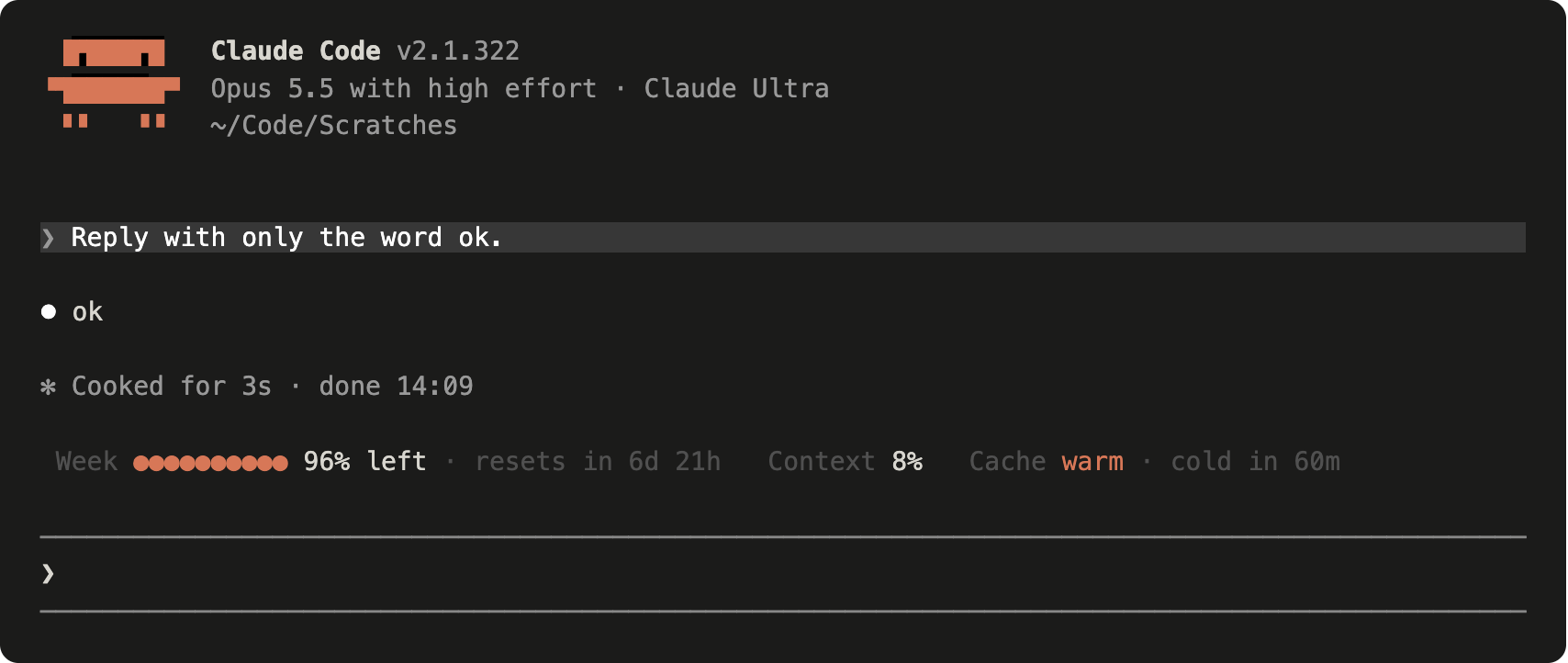
I switch between Claude accounts. Every time I did, the band kept the old account's usage, and it only caught up when I opened a new session. On a local model it was worse. It said USAGE · waiting for the first reply, and that reply was never going to bring any usage figures, because a local model has no plan limits.
Then the labels. I'd see 7D, then 100% left, then 6d 23h, and sometimes WARM or COLD, and I just didn't know what any of it meant. It was also a bit in your face. The orange is a lot brighter than Claude Code's own logo, and in a light theme the band stayed a dark slab.
The usual move is a pull request. Ribbon already had 17 open ones, none merged, and 7 of them fix the same clipping bug. My changes would also alter how the band looks, which is a matter of taste. So I forked it. Jay E's band, his cache tracking and the little robot that freezes when the cache goes cold are all still in there, and the README credits the people whose fixes I used.
The band now keeps an eye on which account you're signed in to, by reading the account and organization ids from Claude Code's config file, which it keeps to itself. Switch, and the old numbers go. Here's the code that runs when you do.
const changed = key !== accountKey
accountKey = key
if (!changed) return
// Another account: its limits, its plan and its cache are its own.
await update($, windows, () => [])
await update($, cache, () => null)
await update($, fold, () => null)
const plan = await detectPlan($)
await update($, account, () => ({ plan, replied: false }))
await fetchUsage($, true)
That last line asks the endpoint the /usage command uses, and it's the reason usage now shows up before you've sent a single message.
Off a Claude plan, the band works out what it's looking at. With an API key you see what the session has cost so far. With a local model you see the model's name and how full the context is, and no cache line at all, since that cache isn't Anthropic's.
The labels are words now. 7D is Week, 5H is 5-hour, and 6d 23h is resets in 6d 23h. The cache says Cache warm · cold in 56m, or Cache cold · next msg $4.78 once the hour is up. Forget what it means and /ribbon prints a legend. The colours come from your Claude Code theme, so the coral is Claude's own.
While I was in there I checked the price table against Anthropic's list. 3 rows were off.
| Model | Before, input / cache read | After, input / cache read |
|---|---|---|
| Sonnet 5.5 | $2 / $0.20 | $2 / $0.10 |
| Haiku 5.5, prompts up to 100K | $0.50 / $0.05 | $0.10 / $0.01 |
| Fable 5.2 | $10 / $0.25 | $8 / $0.20 |
For Sonnet users every warm price was twice too high. A short Haiku session showed 5 times what it cost.
After a few days with it I wanted less band. I wasn't sure a mod could even have a minimalist mode. It can. A mod lists its settings in its plugin.json, and Claude Code draws them in /config under the mod's name. This is the one that hides the dots.
"showDots": {
  "type": "boolean",
  "title": "Show the dot bars",
  "description": "The ●●●●○○ bars beside the week and 5-hour windows. Off: just the percentage.",
  "default": true
}
Change it there and the band redraws straight away. Style minimal leaves only the numbers, always in the order week, 5-hour, context, cache. My plan has no 5-hour window, so mine reads like this.

The white in the band was whiter than Claude Code's own text, so values now use the terminal's default colour, and only LOW is bold. Colours muted turns everything grey, in the greys Claude Code uses itself. Colour comes back when a window runs low or the context fills up.

Once the percentage was there I didn't need the dots either. With them off, a low window colours the percentage.

You can also switch each part off on its own, so a band with only the context is possible. Show when it matters hides the band until a window drops under 25%, the cache goes cold or the context passes 85%. And a narrow terminal no longer clips anything. At 64 columns the band stacks into blocks.
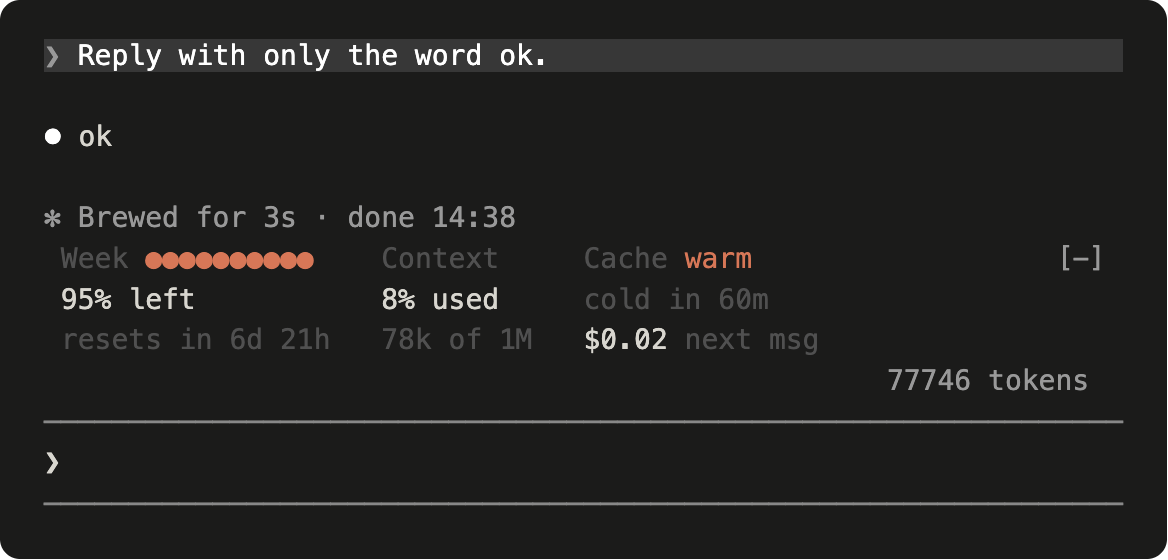
Something to know before you install it. The band guesses how long the prompt cache lives, 1 hour on a plan and 5 minutes on an API key. If yours is different, set Cache length in /config, or warm will be off by up to 55 minutes.
If you already run the original, remove it first or you'll get 2 bands.
claude plugin uninstall ribbon@robonuggets
claude plugin install ribbon --marketplace Kompas/ribbon
Start a new session and type /ribbon. Ribbon is Jay E's work. The fixes from issues #3, #8, #14 and #17 and pull requests #2, #4 and #7 are in the fork too.